
Proofing help

Proofing, Selections and Retouching

How clients submit selected photos, staff review the set, and retouch requests move through revision and approval.

Use this guide when a gallery includes proofing selections, edit notes, retouch versions or client approval decisions.

3
Sections
3
FAQs
2
Fixes
Gallery selection controls
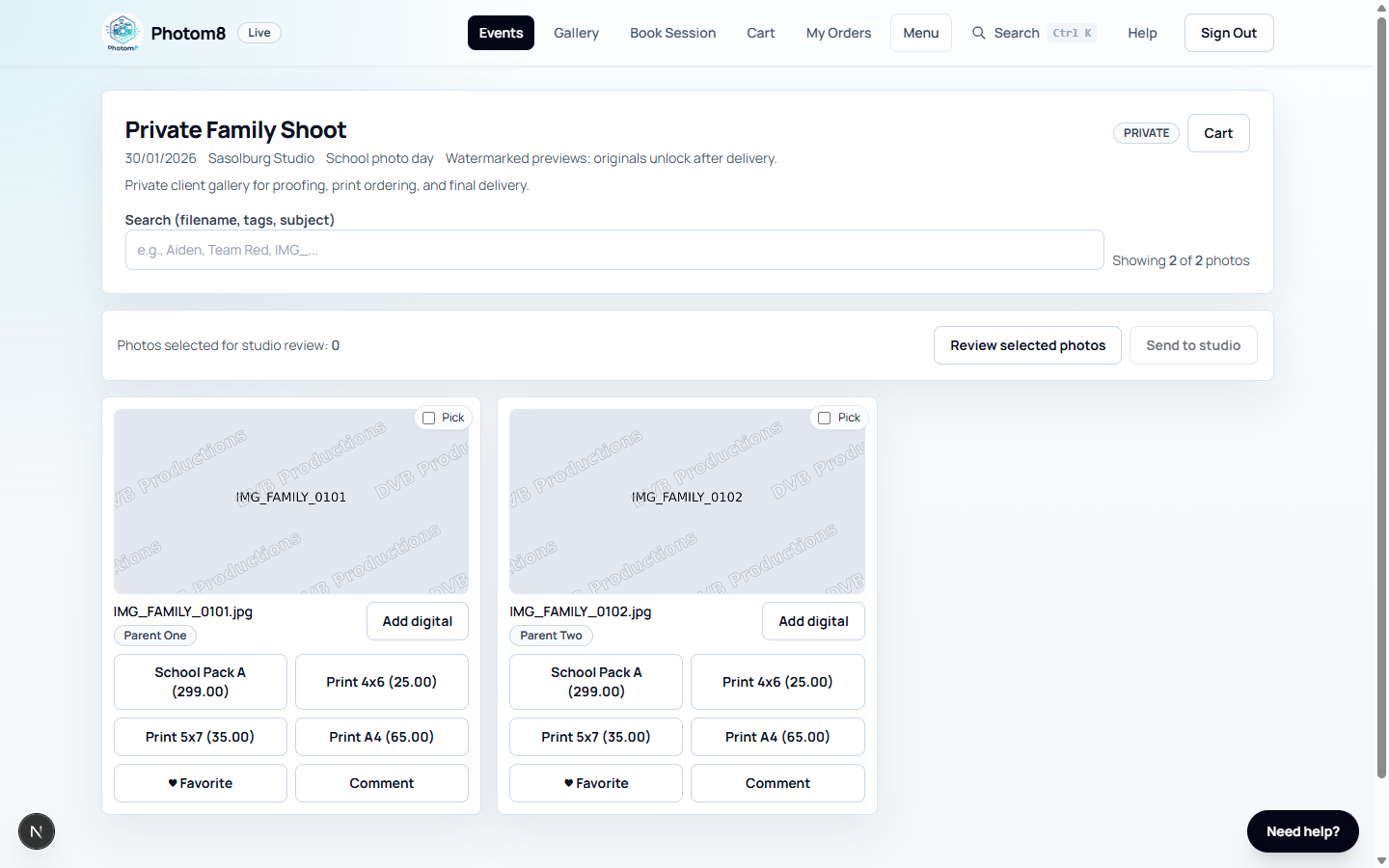
Gallery: clients can pick photos for studio review where proofing is enabled.
Admin proofing workspace
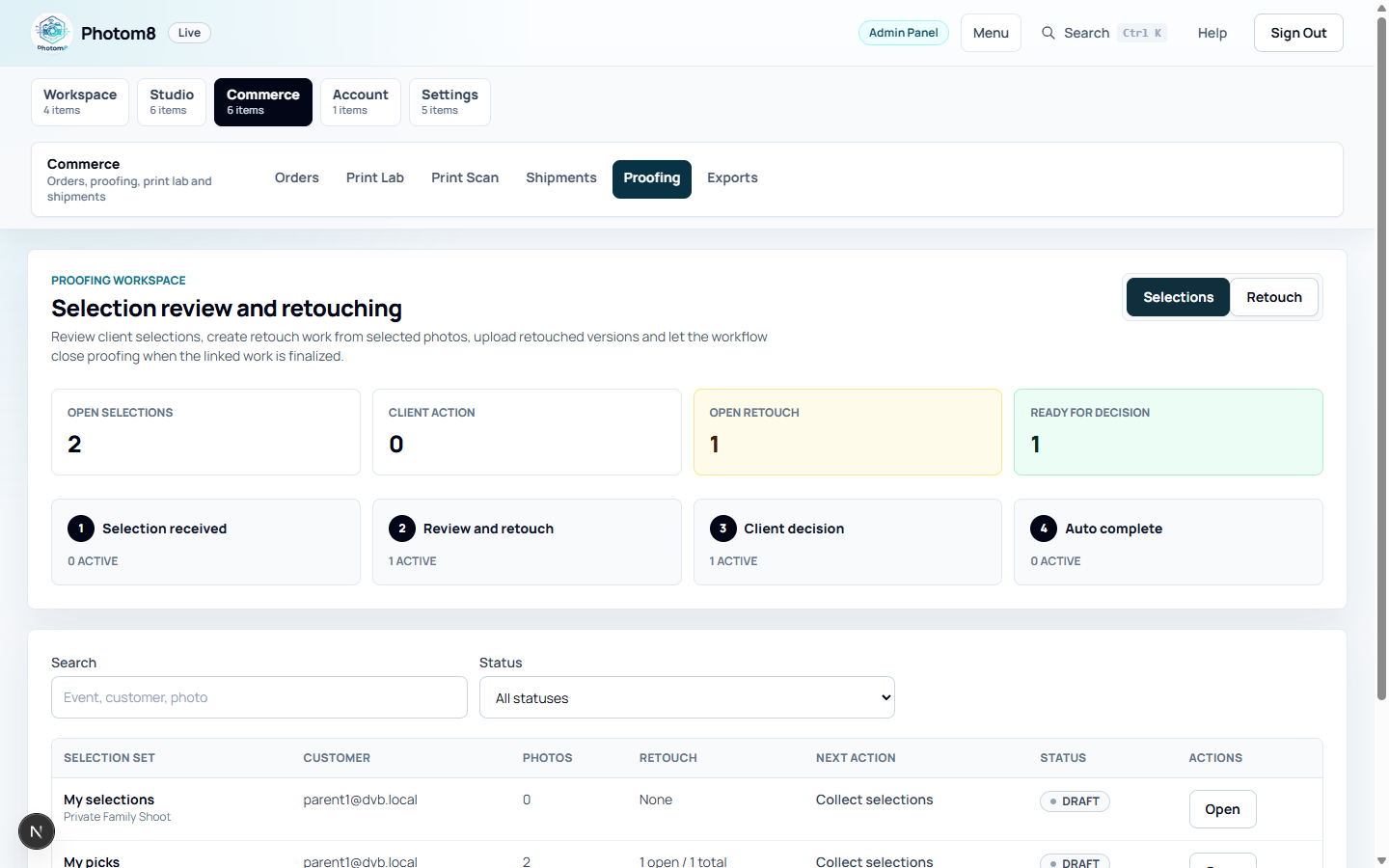
Proofing workspace: staff review selections and retouch queues.

Submit Client Selections

Selections send preferred photos to the studio for review.

/events/[eventId]/selections

Choose selected photos

From the gallery, use Pick/Select for the photos the studio asked you to submit, then open Review selected photos.

  • Remove any photo you do not want before submitting while the set is editable.
  • Submit selections only when the list is ready for staff review.
  • If staff request changes, update and resubmit where allowed.

Review Selections as Staff

Staff use the Selections tab for submitted sets and the Retouch tab for edit work.

/admin/proofing
Admin proofing queue
Selections and Retouch tabs show different work queues.

Work the selections queue

Open /admin/proofing, use the Selections tab, and open submitted selection sets.

  • Start review when the set is submitted.
  • Approve selections when they are correct.
  • Request changes when the client must adjust the selection.
  • Watch for open retouch work before closing proofing.

Handle Retouch Requests

Retouch requests move from client instructions to a revised version and client decision.

/admin/proofing

Process edit notes

Use the Retouch tab to open requests, upload or generate retouched versions, and mark work ready for client review.

  • Clients cannot approve a retouch until a retouched version exists.
  • Keep staff comments specific so the client knows what changed.
  • Clients can approve the version or request changes from their review page.

Troubleshooting

Use these checks when the workflow does not behave as expected.

Retouch approval is blocked.

Likely cause
No retouched version has been uploaded or generated.
What to do
Open the retouch request, add the retouched version, and mark it ready for review.

Client cannot submit selections.

Likely cause
The selection policy may be closed or the client may not have access to the event.
What to do
Check event access, proofing policy and selection-set status.

FAQ

What is a selection set?

A selection set is the client's submitted list of preferred photos for studio review.

When can a client approve a retouch?

A client can approve a retouch after staff upload or generate a retouched version and mark it ready for review.

Where do staff process retouch requests?

Staff process retouch requests from /admin/proofing, using the Retouch tab and the request detail pages.