
Checkout help

Photo Products, Cart and Checkout

A dedicated guide for adding gallery products, reviewing cart items, choosing delivery and paying through PayFast.

Use this guide when adding event gallery products to a cart, choosing delivery and paying for a photo order.

3
Sections
3
FAQs
2
Fixes
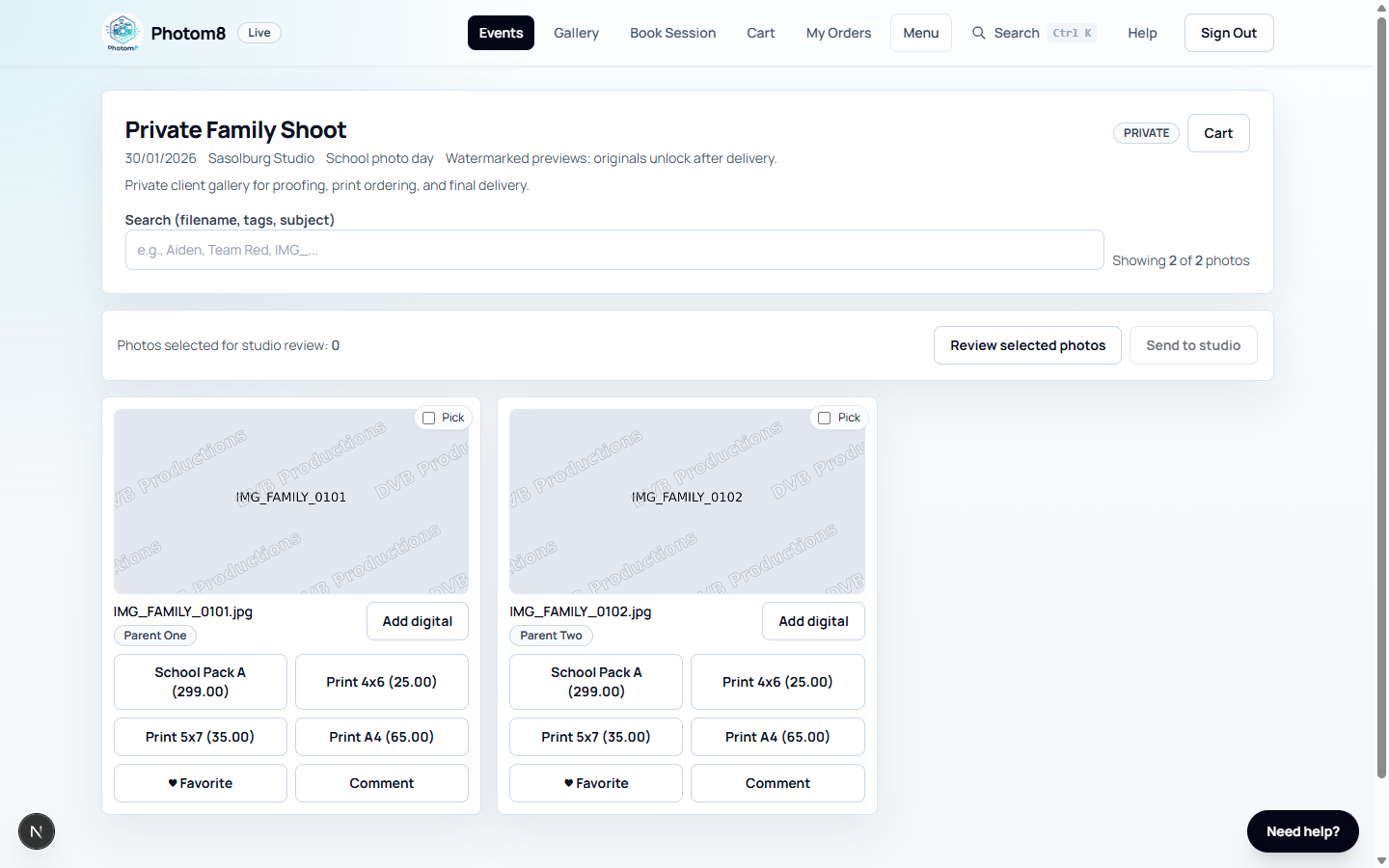
Gallery product buttons
Gallery: choose digital, print or design products before cart checkout.
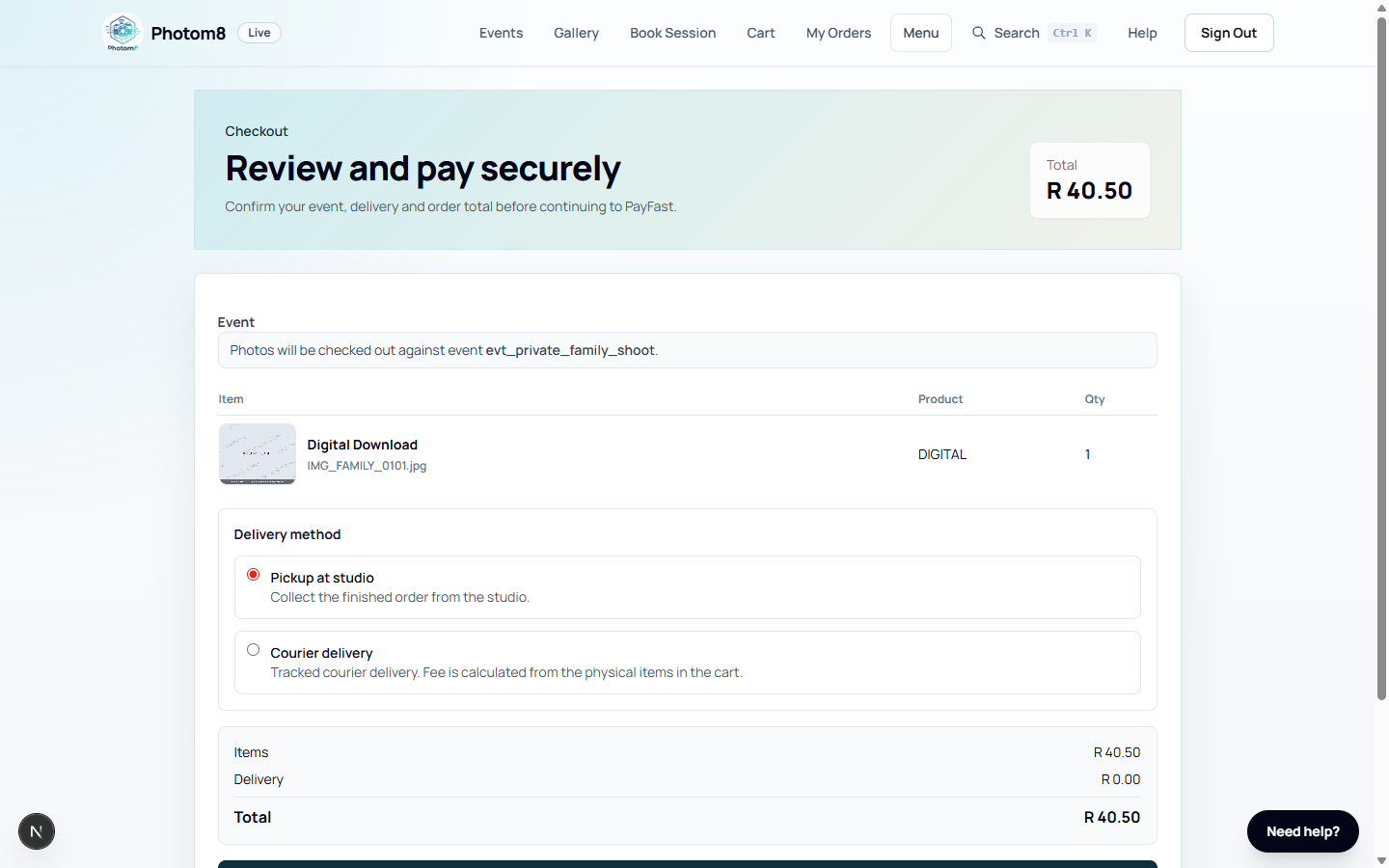
Checkout page
Checkout: confirm items, delivery and total before continuing to PayFast.

Add Photo Products

Product buttons are available on photo cards inside an event gallery.

/events/[eventId]
Gallery product controls
Product controls are tied to a specific event and photo.

Choose the product from the gallery

Open the event gallery and choose digital, print or design options from the photo card.

  • Design products may require one or more selected photo slots.
  • Some events disable digital downloads.
  • Product availability depends on event pricing and digital download settings.

Review the Cart

The cart is event-aware so pricing, permissions and fulfilment remain correct.

/cart

Check items before paying

Open /cart and confirm every product, design, selected photo, quantity and option.

  • Remove the wrong item instead of checking out.
  • Apply coupon codes before checkout.
  • Use one event per checkout where possible.

Fix missing event context

If checkout says event context is missing, return to the gallery and add products from the event again.

  • Do not manually build cart URLs.
  • Cart contents are stored in the browser for the current workflow.

Checkout and Pay

Checkout creates the order and starts PayFast payment.

/checkout
Checkout screen
Signed-in checkout shows event context, items, delivery and total.

Complete checkout details

Review cart items, choose delivery method, enter address if required, and confirm the total.

  • Courier delivery requires an address.
  • Collection and digital-only options may not require an address.
  • Guest public checkout may require email OTP before order creation.

Pay through PayFast

Continue to PayFast and complete payment. Return to the order page after payment.

  • A cancelled payment keeps the order unpaid.
  • PayFast notification is the normal payment source of truth.
  • Retry payment from the order page if it is still awaiting payment.

Troubleshooting

Use these checks when the workflow does not behave as expected.

Checkout says event context is missing.

Likely cause
The cart item was not added from an event gallery or browser cart data is stale.
What to do
Clear the cart, return to the event gallery and add the product again.

The OTP code fails.

Likely cause
Guest checkout codes can expire or be superseded by a newer email.
What to do
Use the latest email code or request a new code when allowed.

FAQ

Where do product prices come from?

Product availability and price come from the event's pricing setup and the tenant's configured products.

Why does checkout need event context?

Event context is required for pricing, permissions, delivery logic and fulfilment routing.

When is email OTP required?

Signed-in customer checkout uses the account session. Public guest checkout may require email OTP before creating the order.